
Already committed to WordPress? Start building: How to Build an Online Store with WordPress & WooCommerce
What Are WordPress and Shopify?
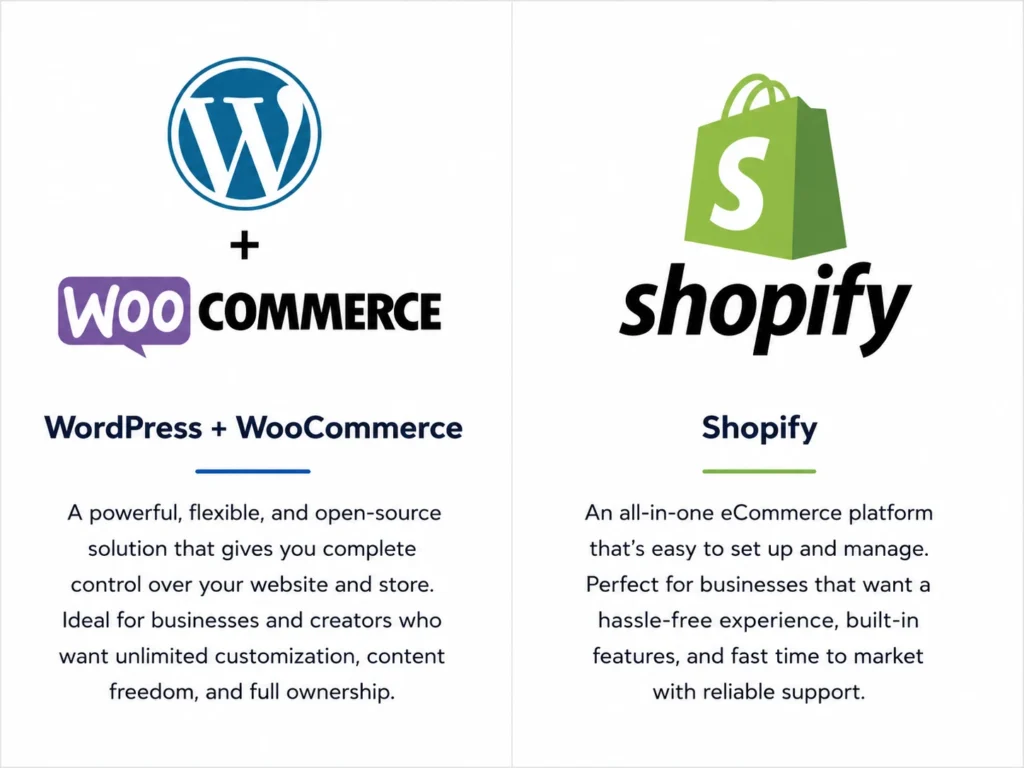
WordPress + WooCommerce
Shopify
Quick Comparison: WordPress vs Shopify
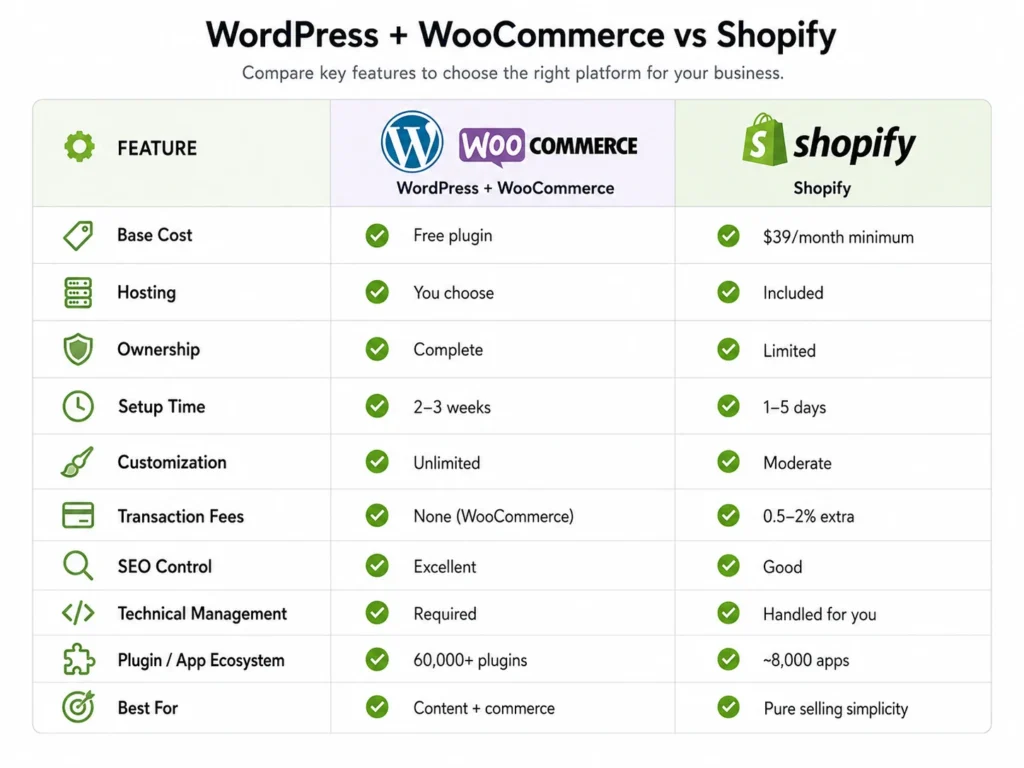
| Factor | WordPress + WooCommerce | Shopify |
|---|---|---|
| Base Cost | Free plugin | $39/month minimum |
| Hosting | You choose | Included |
| Ownership | Complete | Limited |
| Setup Time | 2–3 weeks | 1–5 days |
| Customization | Unlimited | Moderate |
| Transaction Fees | None (WooCommerce) | 0.5–2% extra |
| SEO Control | Excellent | Good |
| Technical Management | Required | Handled for you |
| Plugin / App Ecosystem | 60,000+ plugins | ~8,000 apps |
| Best For | Content + commerce | Pure selling simplicity |
Now let us go deeper into each factor that matters most.
Factor 1: Ease of Setup
Shopify Wins for Speed
WordPress Takes More Time
Verdict: Shopify wins ease of setup decisively for non-technical users.
Factor 2: Real Cost Comparison
What Shopify Actually Costs
Realistic Shopify monthly expenses:
- Basic subscription — $39/month
- Essential apps (security, abandoned cart, reviews) — $50–150/month
- Payment processing — 2.9% + $0.30 per transaction (Shopify Payments)
- Additional transaction fee if using third-party gateways — 0.5–2% extra
Furthermore, at $10,000 in monthly revenue, your Shopify costs realistically reach $240–520/month in fees alone. Consequently, the apparent simplicity of a flat monthly fee masks significant variable costs at scale.
What WordPress + WooCommerce Actually Costs
Year 1 realistic costs:
| Component | Cost |
|---|---|
| Domain Name | ₹800–₹1,500/year |
| WordPress Hosting | ₹8,000–₹25,000/year |
| Premium Theme | ₹0–₹8,000 |
| Essential Plugins | ₹5,000–₹15,000/year |
| Payment Processing | Per-transaction fee only |
| SSL Certificate | Free (most hosts) |
| Total Year 1 | ₹15,000–₹50,000 |
Plan your complete WordPress store budget accurately. Read: WordPress Website Cost: An Actual WordPress Price
Factor 3: Customization and Flexibility
WordPress Offers Unlimited Customization
Shopify Customization Has Real Limits
Verdict: WordPress wins customization by a wide margin — especially for stores with complex requirements.
Choose the right page builder for your WordPress store design. Read: Best Page Builder Plugins for WordPress
Factor 4: SEO Performance
WordPress Has the SEO Advantage
URL flexibility alone matters significantly. WooCommerce lets you set product URLs to exactly match your SEO strategy. Products can use yourdomain.com/product-name without mandatory prefixes. Moreover, category URLs, breadcrumbs, and internal linking structures are fully configurable.
Shopify SEO Is Good — But Limited
Shopify handles basic SEO effectively. It generates sitemaps automatically and allows meta title and description editing. However, URL structure flexibility is restricted — product URLs include mandatory /products/ and /collections/ prefixes that cannot be removed.
Verdict: WordPress wins SEO — especially for content-driven eCommerce strategies.
Set up SEO correctly from day one. Read: How to Install and Set Up Rank Math SEO
Factor 5: Payment Gateways
WordPress + WooCommerce
Popular options for Indian stores:
- Razorpay — UPI, net banking, cards, wallets, EMI
- PayU — comprehensive Indian payment coverage
- Cashfree — fast settlement times
- PayPal — international customers
- Cash on Delivery — built in natively
Shopify Payments and Third-Party Gateways
Verdict: WordPress wins clearly for Indian stores — zero extra transaction fees and full gateway flexibility.
Factor 6: Scalability
How WordPress Scales
How Shopify Scales
Verdict: Both scale well — Shopify more effortlessly, WordPress more cost-effectively at large scale.
Factor 7: Ownership and Control
WordPress: You Own Everything
Shopify: You Are a Tenant
Moreover, migrating away from Shopify means rebuilding your store on a new platform — losing design work, SEO configurations, and potentially customer data in the process. Consequently, growing stores become increasingly locked into Shopify’s ecosystem over time.
Verdict: WordPress wins ownership and control decisively — this advantage compounds significantly over time.
Understand why ownership matters for long-term growth. Read: Why WordPress Is Still the Best Platform for Small Business Websites
Who Should Choose WordPress + WooCommerce?
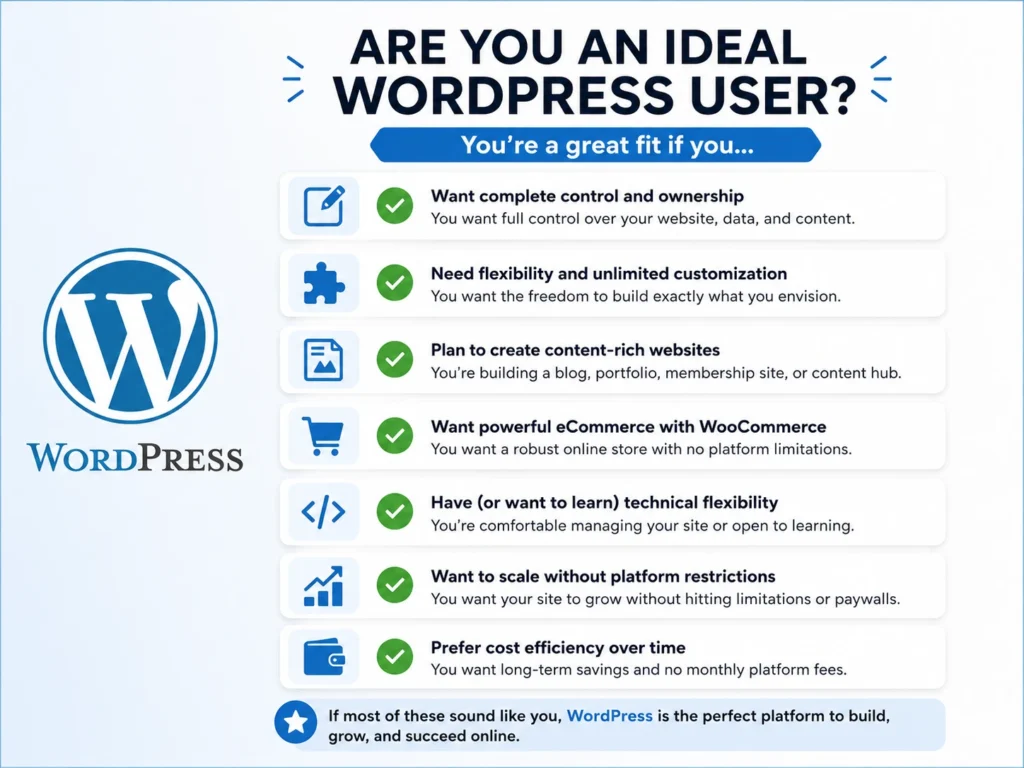
WordPress + WooCommerce suits you if:
✅You want complete ownership and control of your store
✅ You plan to use content marketing alongside selling
✅ You sell in India and want to avoid extra gateway fees
✅ You need complex customization — custom pricing, unique checkout flows
✅ You want to avoid monthly platform fees as your store grows
✅ You are comfortable managing hosting and basic WordPress maintenance
✅ You plan to scale significantly over time
✅ You already use or understand WordPress
Ready to build your WooCommerce store? Read: How to Build an Online Store with WordPress & WooCommerce
Who Should Choose Shopify?
Shopify suits you if:
✅ You want a store live within 24–48 hours with minimal setup
✅ You prefer managed infrastructure with no server management
✅ Your store is straightforward — standard products, standard checkout
✅ You are non-technical and want to avoid WordPress learning curve
✅ You sell primarily in markets where Shopify Payments is available
✅ You do not plan heavy content marketing alongside selling
✅ You value predictable monthly costs over long-term ownership
Side-by-Side Verdict
| Factor | Winner |
|---|---|
| Ease of Setup | 🏆 Shopify |
| Real Cost (Long-term) | 🏆 WordPress |
| Customization | 🏆 WordPress |
| SEO Performance | 🏆 WordPress |
| Payment Gateways (India) | 🏆 WordPress |
| Scalability | 🤝 Both |
| Ownership and Control | 🏆 WordPress |
Conclusion
Frequently Asked Questions (FAQs)
Is WordPress better than Shopify for eCommerce?
For most established businesses and content-driven stores, WordPress with WooCommerce delivers better long-term value — lower costs, better SEO control, unlimited customization, and complete ownership. Furthermore, Indian store owners specifically benefit from WooCommerce’s zero extra transaction fees when using gateways like Razorpay. Shopify suits businesses that prioritize simplicity and fast launch over long-term ownership.
Which is cheaper — WordPress or Shopify?
WordPress is significantly cheaper at scale. The WooCommerce plugin is free, and total operating costs run ₹15,000–₹50,000 per year for most small stores. Furthermore, WooCommerce charges zero platform transaction fees. Shopify’s realistic costs reach $240–520/month at moderate sales volumes when including apps and payment processing fees. Consequently, the cost gap widens substantially as store revenue grows.
Is Shopify easier to use than WordPress?
Yes — Shopify is genuinely easier for non-technical users who want a store running quickly. Setup takes 1–5 days compared to 2–3 weeks for WordPress. Furthermore, Shopify handles hosting, security, and updates automatically. However, WordPress becomes easier to manage after initial setup, and its long-term flexibility rewards the early learning investment significantly.
Can I switch from Shopify to WordPress later?
Yes, migration is possible but involves significant work. Furthermore, product data, customer records, and SEO configurations all require careful transfer. Moreover, you lose any Shopify-specific customizations that do not transfer to WooCommerce. Consequently, choosing the right platform initially saves considerably more time than migrating after growth.
Which platform is better for SEO?
WordPress is better for SEO — particularly for stores that use content marketing alongside product selling. Furthermore, WordPress gives you complete control over URL structures, meta tags, schema markup, and technical SEO elements. Moreover, integrating a blog with your store on the same domain builds domain authority that benefits product pages directly. Consequently, content-driven WooCommerce stores consistently outrank Shopify competitors in organic search over time.
Which platform is better for SEO?
WordPress is better for SEO — particularly for stores that use content marketing alongside product selling. Furthermore, WordPress gives you complete control over URL structures, meta tags, schema markup, and technical SEO elements. Moreover, integrating a blog with your store on the same domain builds domain authority that benefits product pages directly. Consequently, content-driven WooCommerce stores consistently outrank Shopify competitors in organic search over time.
Shopify vs WordPress Pricing — Which Costs Less?
Shopify pricing starts at $39/month on the Basic plan. However, realistic monthly costs including apps, payment processing, and transaction fees reach $150–520/month depending on your sales volume. Furthermore, using third-party payment gateways on Shopify triggers additional transaction fees of 0.5–2% per sale on top of the gateway’s standard rate.
WordPress with WooCommerce costs ₹15,000–₹50,000 per year for most small stores — covering hosting, domain, theme, and essential plugins. Furthermore, WooCommerce charges zero platform transaction fees. Consequently, WordPress becomes significantly cheaper than Shopify at any meaningful sales volume — especially for Indian store owners using local payment gateways like Razorpay or PayU.