Introduction
Before you write a single word of content or upload a single product image, one decision shapes your entire WordPress website — which page builder you use.
Your page builder determines how fast your site loads, how much creative freedom you have, how long it takes to build each page, and how much you pay every year. Furthermore, switching page builders after your site is built is painful, time-consuming, and sometimes impossible without rebuilding from scratch.
Therefore, getting this decision right from the start matters enormously.
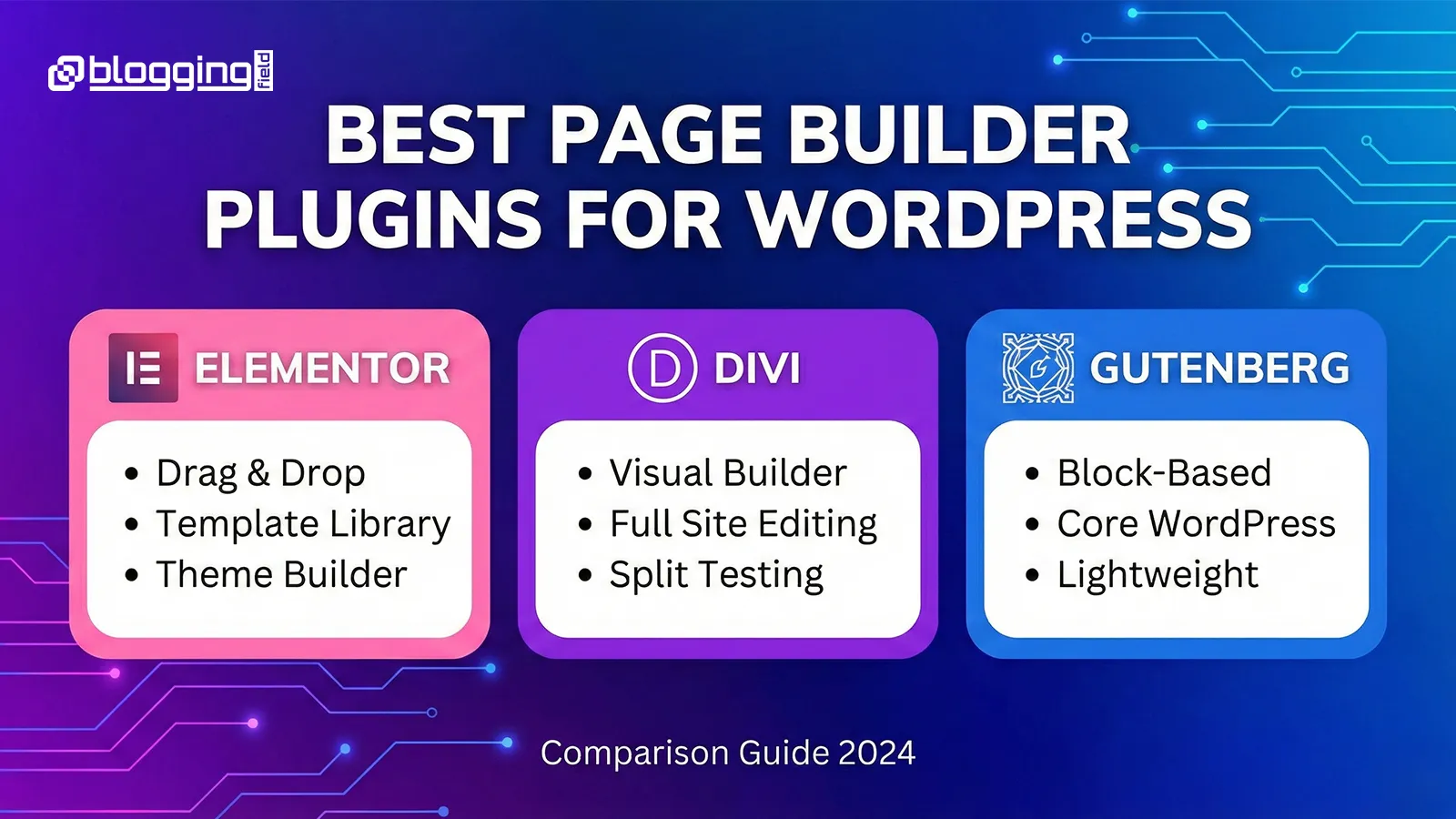
In 2025, three page builders dominate the WordPress ecosystem — Elementor, Divi, and Gutenberg. Each one serves a different type of user with different goals and priorities. Moreover, each one has genuine strengths that make it the right choice for specific situations.
In this guide, we compare all three across every factor that matters — features, ease of use, design flexibility, performance, pricing, and best use cases. Consequently, by the end of this article, you will know exactly which page builder suits your specific project.
In this guide, we’ll compare Elementor vs Divi vs Gutenberg based on:
✔ Features
✔ Ease of Use
✔ Design Flexibility
✔ Performance
✔ Pricing
✔ Best Use Cases
✔ Pros & Cons
Let’s dive deep and help you choose the perfect page builder for your WordPress website.
1. Elementor – Most Popular & Beginner-Friendly Page Builder
Elementor powers millions of WordPress websites worldwide, making it the most widely used third-party page builder available. Its visual drag-and-drop interface lets anyone design professional, responsive websites without writing a single line of code.
Furthermore, the real-time visual preview shows every change instantly as you make it. Consequently, the design process feels intuitive and fast — even for users with no prior web design experience.
Key Features of Elementor
Elementor’s free version includes a generous library of widgets, layout blocks, and design options that handle most standard website needs. Moreover, Elementor Pro unlocks significantly more powerful tools — a Theme Builder for designing headers, footers, and archive pages, a Popup Builder for lead generation, a WooCommerce Builder for custom shop pages, and dynamic content capabilities for data-driven websites.
Additionally, Elementor’s template library contains hundreds of professionally designed page layouts. Therefore, users who prefer starting from a template rather than building from scratch have plenty of strong starting points available.
Ease of Use
Elementor consistently earns praise for its approachable learning curve. New users typically build their first complete page within a few hours of initial use. Furthermore, the interface organizes widgets logically, making it straightforward to find specific elements without searching through menus.
Moreover, Elementor’s large community produces extensive tutorial content, making it easy to find solutions when you encounter specific design challenges.
Performance
Elementor has improved its performance significantly over the past two years. Cleaner code output, reduced DOM size, and better asset loading have addressed many of the performance criticisms the builder faced in earlier versions.
However, Elementor still loads more CSS and JavaScript than Gutenberg does. Therefore, stores and blogs where page speed is a critical priority may want to optimize carefully or consider whether the additional weight justifies the design benefits.
Pricing
The free version handles basic website building effectively. Elementor Pro starts at $59 per year for a single website and scales up for multiple sites. Furthermore, the Pro features deliver strong value for users who need Theme Builder or WooCommerce capabilities — making the upgrade worthwhile for most serious projects.
Who Should Choose Elementor
Elementor suits beginners building their first WordPress website, bloggers who want design freedom without technical complexity, small business owners who need a professional site without hiring a developer, and WooCommerce store owners who want custom shop and product page layouts. Moreover, it works well for anyone who values a large community and extensive third-party add-on ecosystem.
Pros
Extremely easy to use
Huge template and widget library
Works for any type of website
Visual drag-and-drop builder
Strong community and add-ons
Cons
2. Divi Builder – Best for Designers & Agencies
Divi by Elegant Themes takes a different approach to page building. Where Elementor focuses on accessibility and ease, Divi focuses on depth of customization and creative control. Furthermore, Divi’s pricing model — which includes a lifetime license option — makes it particularly attractive for agencies and developers managing multiple client websites.
Key Features of Divi
Divi provides hundreds of layout packs covering virtually every website category imaginable. Moreover, its design modules offer deep customization for every element — spacing, sizing, shadows, animations, borders, and custom CSS — all accessible through a visual interface.
One feature Divi offers that no other major page builder includes natively is built-in split testing through Divi Leads. This allows designers to test different versions of page elements and measure which performs better. Consequently, conversion-focused designers find Divi particularly valuable for client projects where results matter.
Additionally, global elements and global styles allow changes made in one place to propagate across an entire website automatically. Therefore, maintaining brand consistency across large multi-page websites becomes significantly more manageable.
Ease of Use
Divi has a steeper learning curve than Elementor, particularly for complete beginners. The interface uses its own terminology and organizational structure that takes time to learn. Furthermore, the sheer depth of customization options can feel overwhelming initially.
However, once the interface becomes familiar, Divi rewards that investment with exceptional creative control. Moreover, agencies that use Divi across multiple client projects find that the initial learning investment pays back quickly through faster project delivery over time.
Performance
Divi has addressed earlier performance concerns through dynamic CSS loading, reduced file sizes, and ongoing optimization updates. Furthermore, properly configured Divi websites with good hosting and caching can achieve strong PageSpeed scores.
However, like Elementor, Divi loads more resources than Gutenberg. Consequently, performance-focused projects benefit from pairing Divi with quality hosting and a solid caching setup. Our guide on how to choose the best WordPress hosting covers exactly what to prioritize when selecting hosting for a page builder-powered website.
Pricing
Divi offers two pricing options. The yearly plan costs $89 per year and covers unlimited websites. The lifetime access plan costs $249 as a one-time payment — also covering unlimited websites with lifetime updates included. Furthermore, for agencies building more than a handful of sites per year, the lifetime plan typically pays for itself within the first year of use.
Who Should Choose Divi
Divi suits web designers who want maximum creative control, digital agencies managing multiple client websites, developers who appreciate deep CSS customization through a visual interface, and users attracted by the lifetime pricing model. Moreover, conversion-focused projects benefit from Divi’s native split testing capabilities.
Pros
Cons
Gutenberg — The Fastest and Most Lightweight Option
Gutenberg is not a third-party plugin. It is WordPress’s built-in block editor — introduced in WordPress 5.0 and developed into a full site-building tool through continuous updates. Furthermore, because it is built directly into WordPress, it loads no additional scripts or stylesheets beyond what WordPress itself already loads.
Consequently, Gutenberg-built pages load faster than pages built with any third-party page builder. For SEO-focused websites and performance-critical projects, this advantage is significant.
Key Features of Gutenberg
Gutenberg provides block-based editing with reusable blocks, block patterns, layout controls, and global styles. Moreover, the Full Site Editing capabilities introduced in recent WordPress versions allow Gutenberg to control headers, footers, sidebars, and archive templates — functionality that previously required a separate page builder.
Additionally, WordPress’s growing library of block themes and third-party block plugins like Kadence Blocks, Spectra, and GenerateBlocks extend Gutenberg’s design capabilities significantly. Therefore, users who need more design options than core Gutenberg provides can add targeted block libraries without the full weight of a complete page builder.
Ease of Use
Gutenberg handles simple to moderately complex layouts cleanly and intuitively. New users coming from document editing backgrounds often find its block-based approach more familiar than Elementor or Divi’s drag-and-drop interfaces.
However, achieving complex multi-column layouts, advanced animations, or highly customized designs requires either additional block plugins or comfort with custom CSS. Consequently, Gutenberg suits projects where simplicity and speed matter more than maximum design flexibility.
Performance
Gutenberg delivers the best raw performance of any WordPress page building option. No additional plugin overhead, no extra CSS layers, and no JavaScript libraries beyond what WordPress core already loads. Furthermore, this performance advantage directly translates to better Core Web Vitals scores — which Google uses as ranking factors.
Therefore, SEO-focused websites, news publishers, performance-critical landing pages, and anyone prioritizing search rankings benefit most from building with Gutenberg.
Pricing
Completely free. No paid tiers, no premium upgrades required for core functionality. Furthermore, the block plugins that extend Gutenberg’s capabilities are either free or available at lower price points than full page builder subscriptions. Consequently, Gutenberg represents the lowest-cost path to a functional, fast WordPress website.
Who Should Choose Gutenberg
Gutenberg suits users who prioritize page speed and SEO above all else, bloggers and publishers who need clean content-focused layouts, developers who prefer working close to native WordPress functionality, and anyone who wants a capable free solution without ongoing subscription costs. Moreover, it works particularly well paired with modern block themes designed specifically for Full Site Editing.
Pros
Fastest and most lightweight
Native WordPress experience
No extra plugin required
Great for SEO and performance
Works well with modern block themes
Cons
Elementor vs Divi vs Gutenberg – Side-by-Side Comparison
| Feature | Elementor | Divi | Gutenberg |
|---|
| Ease of Use | ⭐⭐⭐⭐⭐ | ⭐⭐⭐⭐ | ⭐⭐⭐⭐ |
| Design Flexibility | ⭐⭐⭐⭐⭐ | ⭐⭐⭐⭐⭐ | ⭐⭐⭐ |
| Performance | ⭐⭐⭐⭐ | ⭐⭐⭐⭐ | ⭐⭐⭐⭐⭐ |
| Pricing | Free + Pro | Premium | Free |
| Best For | Beginners & all users | Designers & agencies | Speed-focused & simple sites |
Which Page Builder Should You Choose?
Choose Elementor When
You want the easiest learning curve combined with powerful Pro features. Moreover, Elementor suits you if you build websites for clients occasionally, run a WooCommerce store, or need a large template library to speed up your workflow. Furthermore, its massive community means finding help, tutorials, and add-ons is straightforward. Our article on how to start a WordPress website step by step recommends Elementor as the starting point for most beginners.
Choose Divi When
You are a designer, agency, or developer who builds multiple websites regularly and wants maximum creative control. Moreover, the lifetime pricing model makes Divi the most cost-effective option for high-volume website work. Additionally, built-in split testing makes it valuable for conversion-focused client projects.
Choose Gutenberg When
Page speed and SEO performance are your top priorities. Furthermore, Gutenberg suits you if you prefer native WordPress tools, want a completely free solution, or build primarily content-focused websites without complex layout requirements. Consequently, bloggers, news sites, and performance-focused businesses often find Gutenberg delivers everything they need without additional cost or overhead.
The Cost of Building with Each Builder
Understanding page builder costs in context of your full website budget helps you plan realistically. Hosting, domain, themes, and plugins all add to the total investment alongside your page builder choice.
Our detailed breakdown of WordPress website costs in 2026 covers every expense involved in building a WordPress website so you can budget accurately before starting your project. Additionally, if you are building a WooCommerce store and want to ensure it performs well regardless of which page builder you choose, our guide on WooCommerce speed optimization tips covers the optimizations that matter most.
Conclusion
Elementor, Divi, and Gutenberg are all genuinely excellent tools. Furthermore, each one earns its place at the top of the WordPress page builder market for different reasons.
Elementor wins for accessibility, community, and all-around versatility. Divi wins for design depth, lifetime pricing, and agency-scale workflow. Gutenberg wins for performance, simplicity, and cost-effectiveness.
Therefore, the right choice is not about which builder is objectively best. It is about which builder best matches your specific goals, technical comfort level, and budget. Consequently, the builder that serves a beginner blogger perfectly may frustrate an experienced agency designer — and vice versa.
Choose based on your situation. Build with confidence. Your page builder should make your work easier, not harder.
Frequently Asked Questions (FAQs)