
In this blog, you will find the top 10 must-have WordPress plugins that every website owner should install — whether you are just starting a WordPress website or already running an established one.
What Are WordPress Plugins?
The same applies to WordPress plugins. They add features like:
- SEO optimization tools
- Contact forms
- Website security
- Speed and performance improvements
- Backup and restore options
Top 10 WordPress Plugins List
1. Yoast SEO
Key Features:
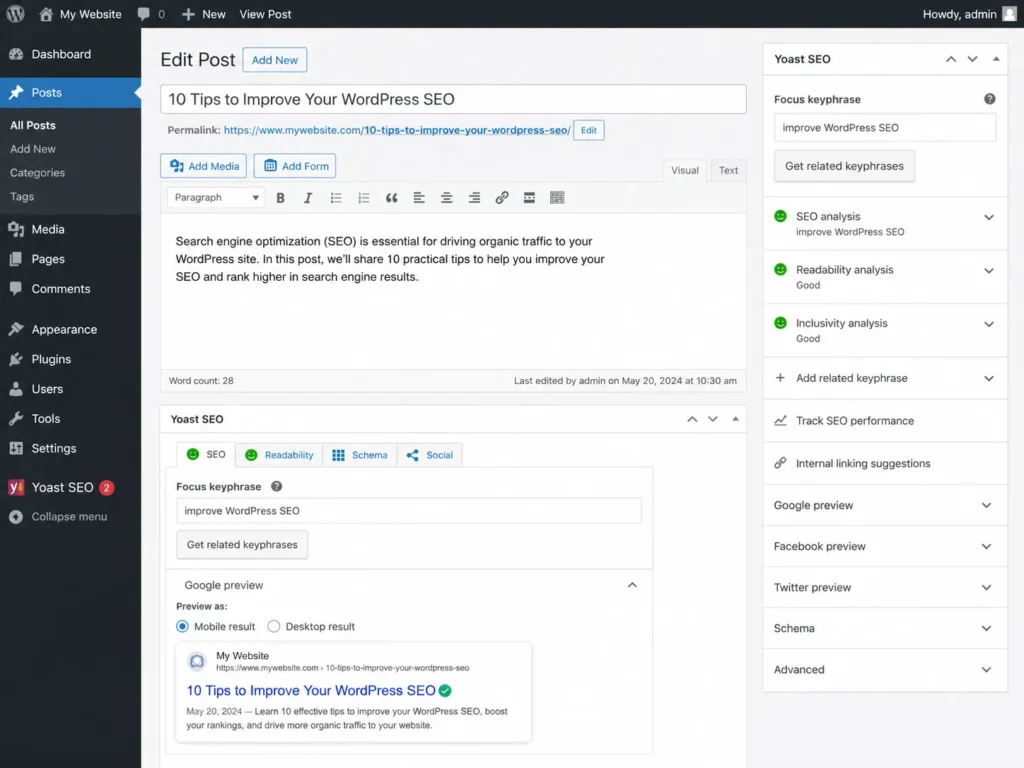
- Focus keyword analysis
- Auto XML sitemap generation
- Meta title and description editing
- Readability score checker
- Schema markup (structured data)
- Breadcrumb navigation support
- Canonical URL management
Why Use It:
Pricing: Free | Premium plan available for advanced features
2. WP Rocket
Key Features:
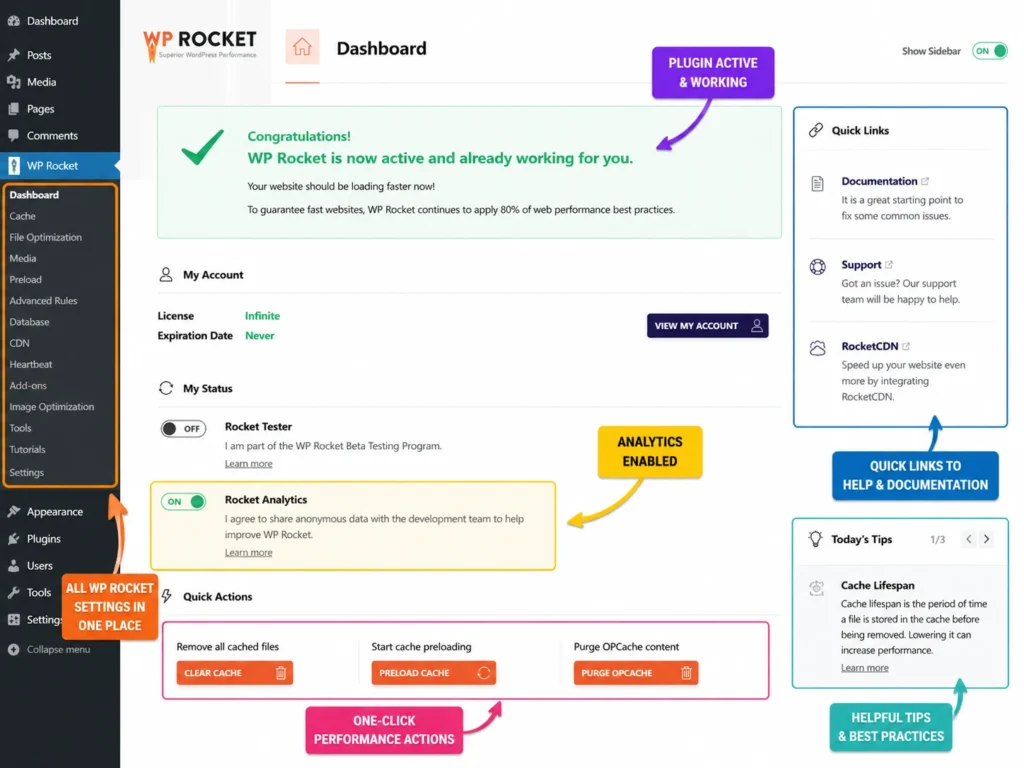
- Page caching and cache preloading
- CSS and JavaScript minification
- Lazy loading for images and videos
- Database optimization
- CDN integration support
- Critical CSS generation
Why Use It:
WP Rocket improves your Google PageSpeed score and Core Web Vitals — which directly affects your search ranking. It is the easiest way to make a WordPress site noticeably faster.
If you are running a WooCommerce store, this plugin becomes even more critical. Check out our guide on WooCommerce speed optimization tips for more detailed steps.
Pricing: Paid plugin — starts at $59/year for one site
3. Wordfence Security
Key Features:
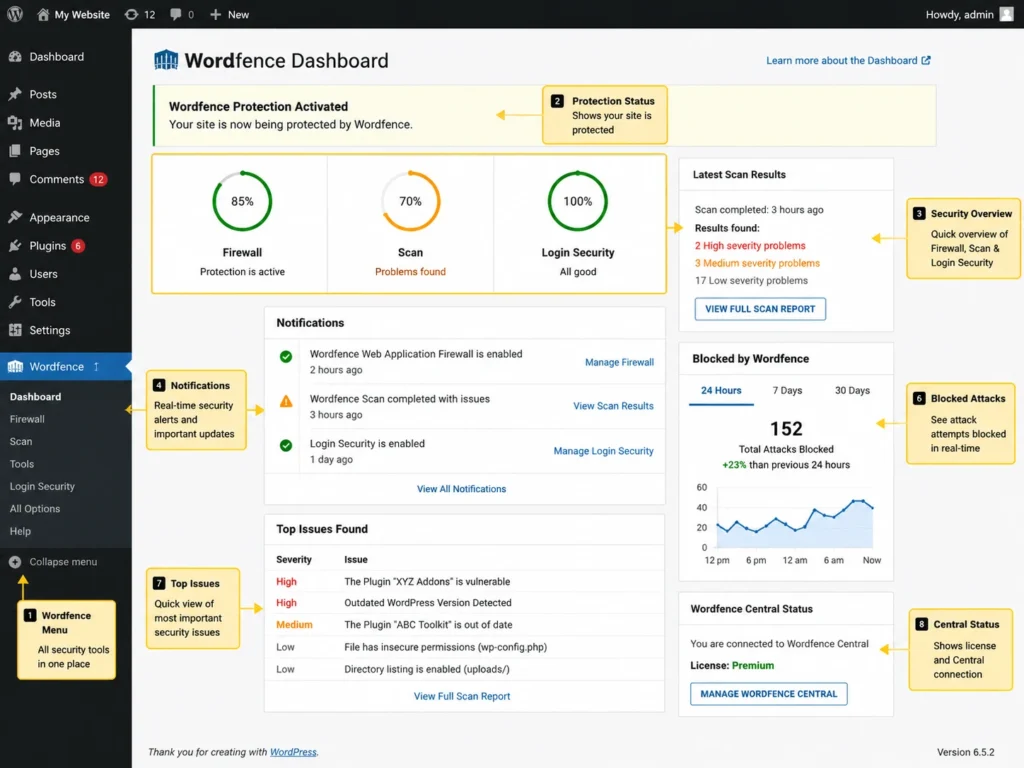
- Web Application Firewall (WAF)
- Real-time malware scanner
- Login security with two-factor authentication (2FA)
- Brute force attack protection
- Live traffic monitoring
- IP blocking and country blocking
Why Use It:
Also, if you have not added SSL to your site yet, make sure you read our guide on whether you need SSL for your WordPress website — security starts there.
Pricing: Free (core protection) | Premium for real-time threat feed
4. WooCommerce
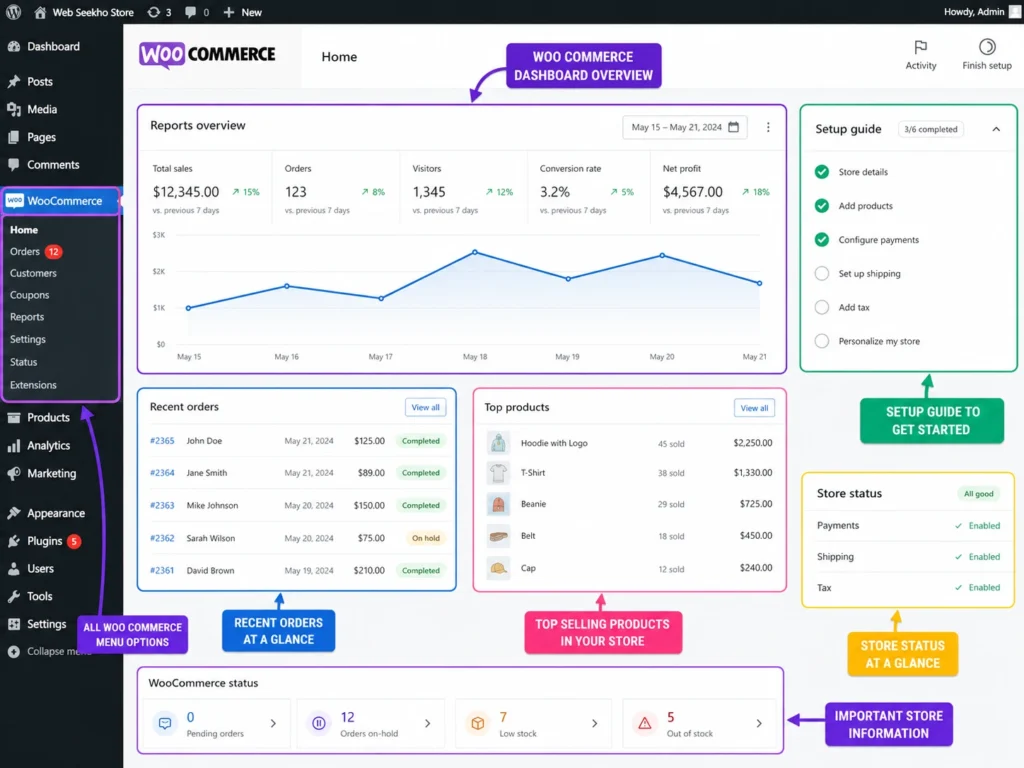
Key Features:
- Physical and digital product listings
- Secure payment gateways (Razorpay, PayPal, Stripe)
- Order management and inventory tracking
- Coupon and discount system
- Mobile-responsive checkout
- 700+ extensions available
Why Use It:
Pricing: Free core plugin | Paid extensions available
5. Elementor
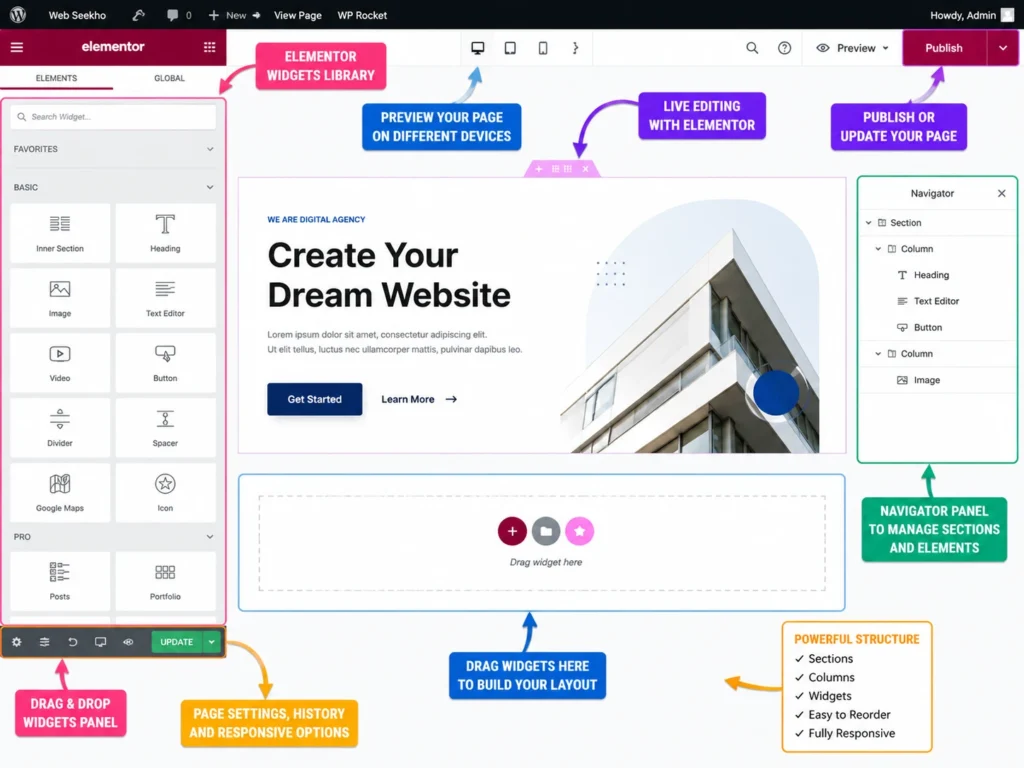
Key Features:
- Live drag-and-drop visual editor
- 100+ free design widgets
- 300+ pre-built page templates
- Mobile responsive editing controls
- WooCommerce builder (Pro)
- Custom header and footer builder (Pro)
Why Use It:
Before choosing a page builder, it helps to compare options. We have covered this in detail in our Elementor vs Divi vs Gutenberg comparison guide.
Pricing: Free version available | Elementor Pro for advanced features
6. WPForms
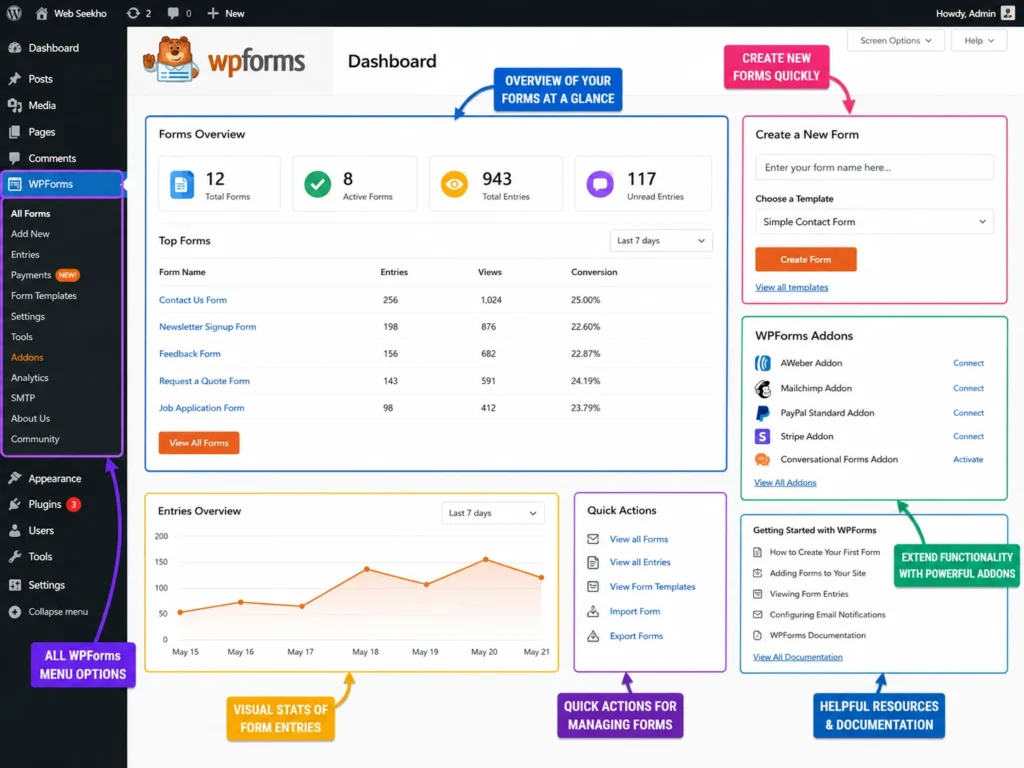
Key Features:
- Drag-and-drop form builder
- Pre-built templates (contact, newsletter, payment, survey)
- Spam protection via CAPTCHA and Honeypot
- Email notifications and auto-confirmations
- Conditional logic for dynamic forms
- Stripe and PayPal integration (Pro)
Why Use It:
Pricing: Free version available | Pro plans for advanced form types
7. UpdraftPlus
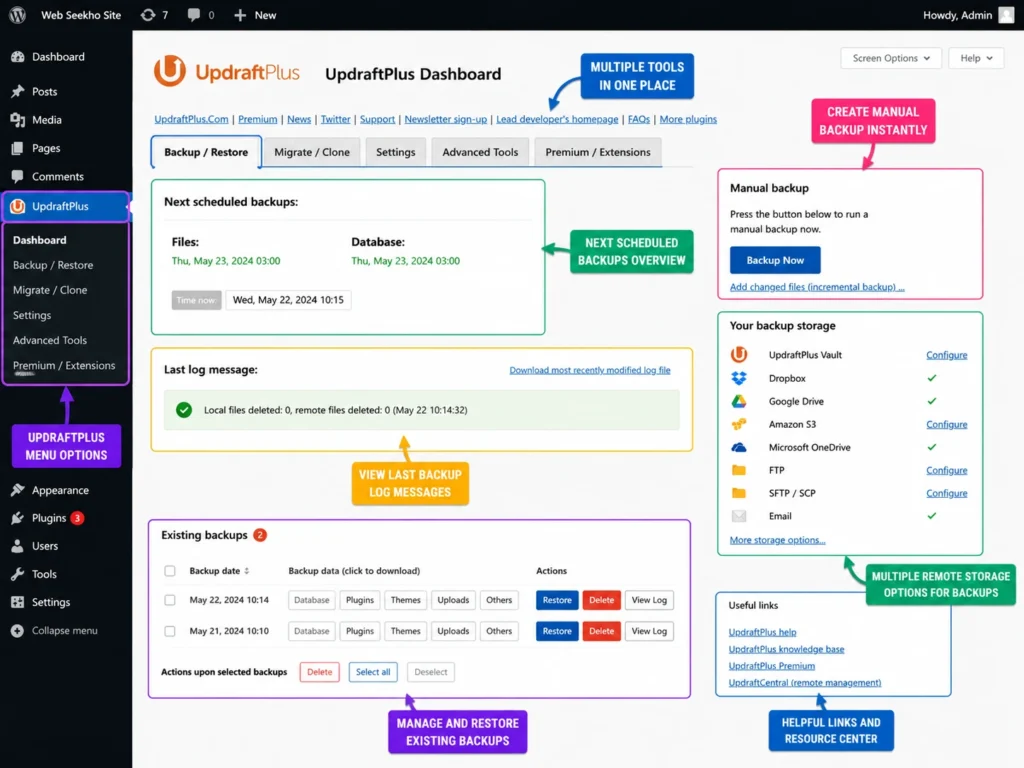
Key Features:
- Scheduled automatic backups (daily, weekly, monthly)
- Cloud storage support — Google Drive, Dropbox, Amazon S3
- One-click restore
- Backup before plugin or theme updates
- Site migration support
Why Use It:
Pricing: Free version (very capable) | Premium for real-time backup and migration
8. Smush
Key Features:
- Bulk image compression (all existing images at once)
- Lossless and lossy compression options
- Lazy load for images
- WebP image conversion
- CDN integration (Pro)
- Incorrect image size detection
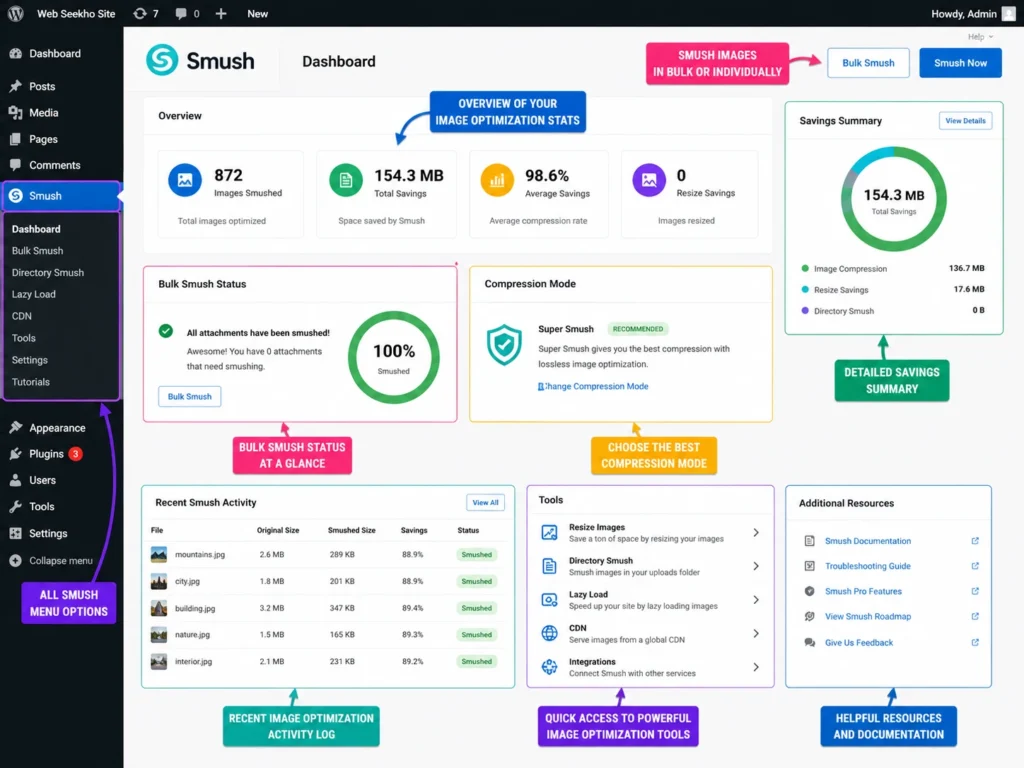
Why Use It:
Pricing: Free version handles unlimited images | Smush Pro for CDN and WebP
9. MonsterInsights
Key Features:
- GA4 integration (no code required)
- Real-time traffic stats inside WordPress
- WooCommerce eCommerce tracking
- Form conversion tracking
- Custom dimensions and events
- GDPR compliance tools
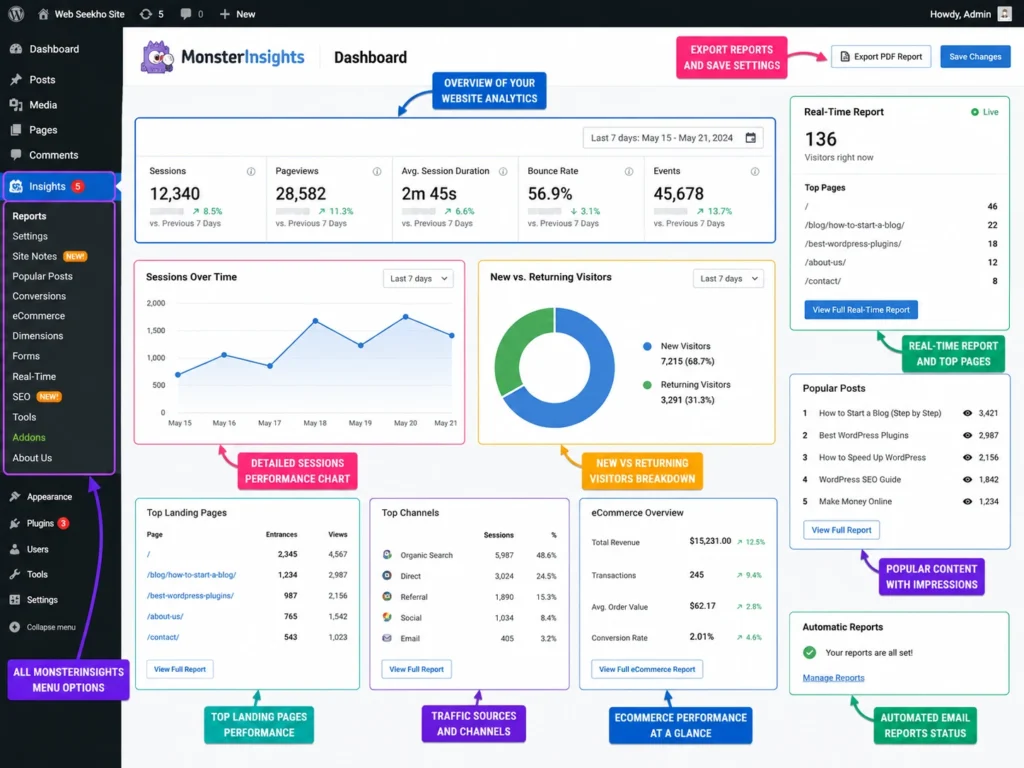
Why Use It:
Pricing: Free lite version | Pro plans for advanced reports
10. Duplicator
Key Features:
- Complete site packages (files + database)
- Professional installer script
- Scheduled backups
- Multisite support
- Cloud storage integration (Pro)
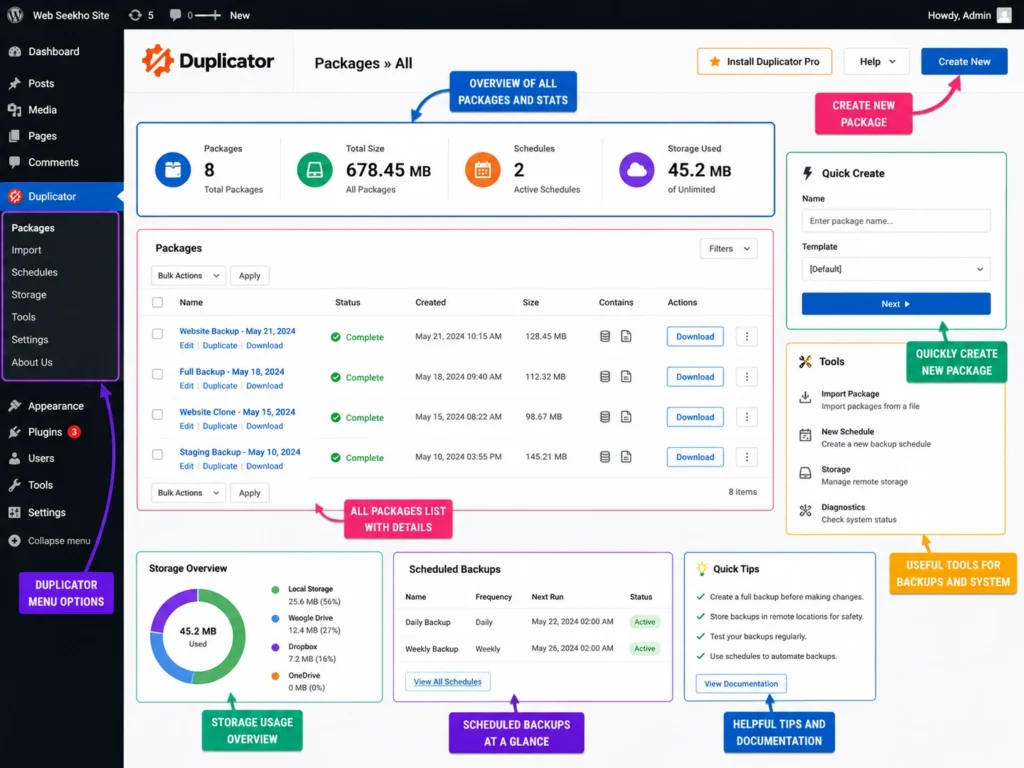
Why Use It:
Understanding the full cost of building a WordPress website helps you plan which premium plugins are worth paying for.
Pricing: Free for basic migration | Duplicator Pro for large sites
Quick Tips Before Installing WordPress Plugins
Installing plugins is easy. Installing the right plugins the right way is what matters.
Follow these simple rules:
- Install only what you need. More plugins = more load on your server. Keep it lean.
- Always update your plugins. Outdated plugins are the #1 cause of WordPress security issues.
- Check ratings and reviews. Look for 4+ stars, 1,000+ reviews, and recent updates.
- Test on staging first. Never install a new plugin directly on your live site without testing.
- Delete inactive plugins. Even inactive plugins can create vulnerabilities.
How to Choose the Right WordPress Theme Alongside Your Plugins
Read our full guide: How to Choose the Perfect WordPress Theme for Your Business
Also, if you are looking for design inspiration before building your site, check out these best WordPress website design examples.
Conclusion
| # | Plugin | Best For |
|---|---|---|
| 1 | Yoast SEO | On-page SEO |
| 2 | WP Rocket | Speed & Caching |
| 3 | Wordfence Security | Security & Firewall |
| 4 | WooCommerce | Online Store |
| 5 | Elementor | Page Builder |
| 6 | WPForms | Contact Forms |
| 7 | UpdraftPlus | Backups |
| 8 | Smush | Image Optimization |
| 9 | MonsterInsights | Google Analytics |
| 10 | Duplicator | Site Migration |
Frequently Asked Questions (FAQs)
Which is the best WordPress plugin for beginners?
How many plugins should I install on my WordPress website?
Are free WordPress plugins safe to use?
Do WordPress plugins slow down my website?
Which WordPress plugin is best for website security?
Wordfence Security is the most trusted free WordPress security plugin. It includes a firewall, malware scanner, login protection, and real-time monitoring. For extra protection, make sure your site also has SSL enabled — read our full guide on Do You Need SSL for WordPress Website.